Sending Limits and Supported Number Types
Last updated: April 14, 2026
To keep outreach smooth, compliant, and effective, Voicemail Drops come with a few built-in limits and technical requirements. Here’s what to keep in mind as you scale.
How to Set Your Voicemail Sending Limits
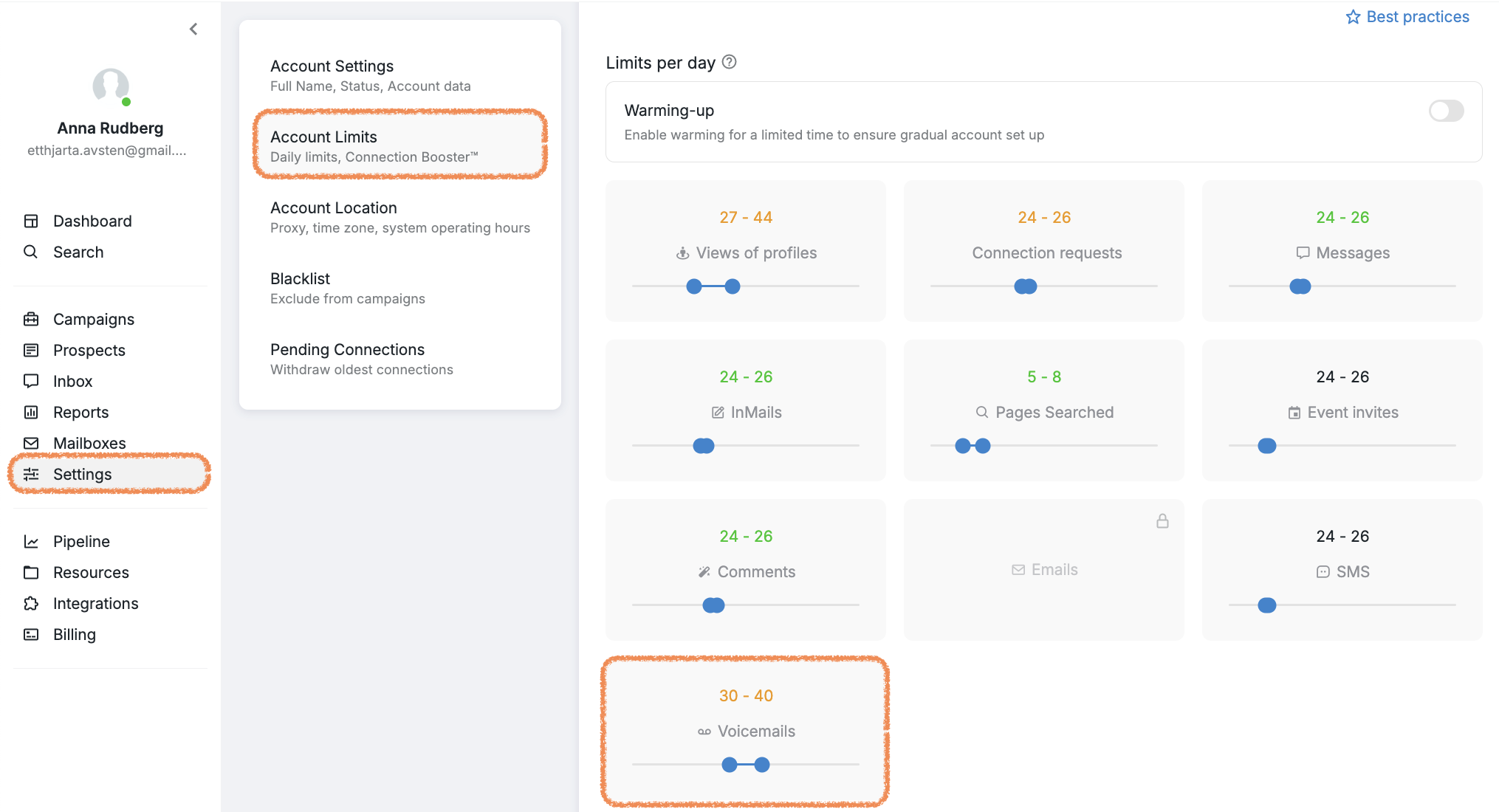
If the Voicemail Drop feature is enabled in your workspace, you can control how many voicemails are sent per Operating hours from all the campaigns on your connected Social Account.
To adjust this setting:
Go to the Settings tab
Navigate to Account Limits
Find the section labeled Limits per day
Voicemail Sending Limits to Keep in Mind
The maximum number of voicemails you can send per day from your connected Social Account is 70.
There’s also a frequency limit: you can send a maximum of three voicemails to the same recipient phone number within a three-day period.
These rules help protect deliverability and ensure respectful outreach pacing.
Supported Number Types for Voicemail Drops
Mobile Phone Numbers: We support delivering ringless voicemails to most mobile phone numbers. These are the primary target and generally have high delivery and response rates.
Landline Numbers with Carrier Voicemail: We can send voicemail drops to landlines only if those landlines have voicemail boxes provided by the carrier. Many traditional landlines lack voicemail or use PBX systems that do not support RVM delivery, making them unsupported.
Numbers Not Supported:
VoIP numbers (virtual numbers from VoIP providers like Google Voice or PBX systems) are not supported as ringless voicemail system cannot interface directly with their voicemail servers.
Landlines without voicemail or with PBX voicemail systems cannot reliably receive RVMs via our platform.
Voicemail Drops make it easy to personalize your campaigns with pre-recorded messages, helping you connect with your audience seamlessly.
If you have any questions or need additional support, our Customer Support team is here to help.