Campaign Outreach Types: Multichannel vs. Email Only
Last updated: April 10, 2026
When creating a campaign, you can choose between two types of outreach: Multichannel and Email Only. Each comes with its own flow, profile type logic, and configuration options.
This article breaks down the differences, available settings, and how profile creation behaves in each case.
What Are Multichannel and Email Only Campaigns?
Multichannel
This campaign type uses both the Social Platform and Email for outreach. The sequence can include Connection Requests, Social messages, follow-up emails, etc.
Email Only
This campaign type uses only Email outreach. It's ideal for cold email sequences or when the Social Platform isn't relevant or available for the target audience.
Outreach Steps
The outreach steps available to you will vary depending on the type of campaign you choose.
Steps in Multichannel Campaigns
These campaigns support a combination of Social and email outreach, so you'll have access to the following steps:
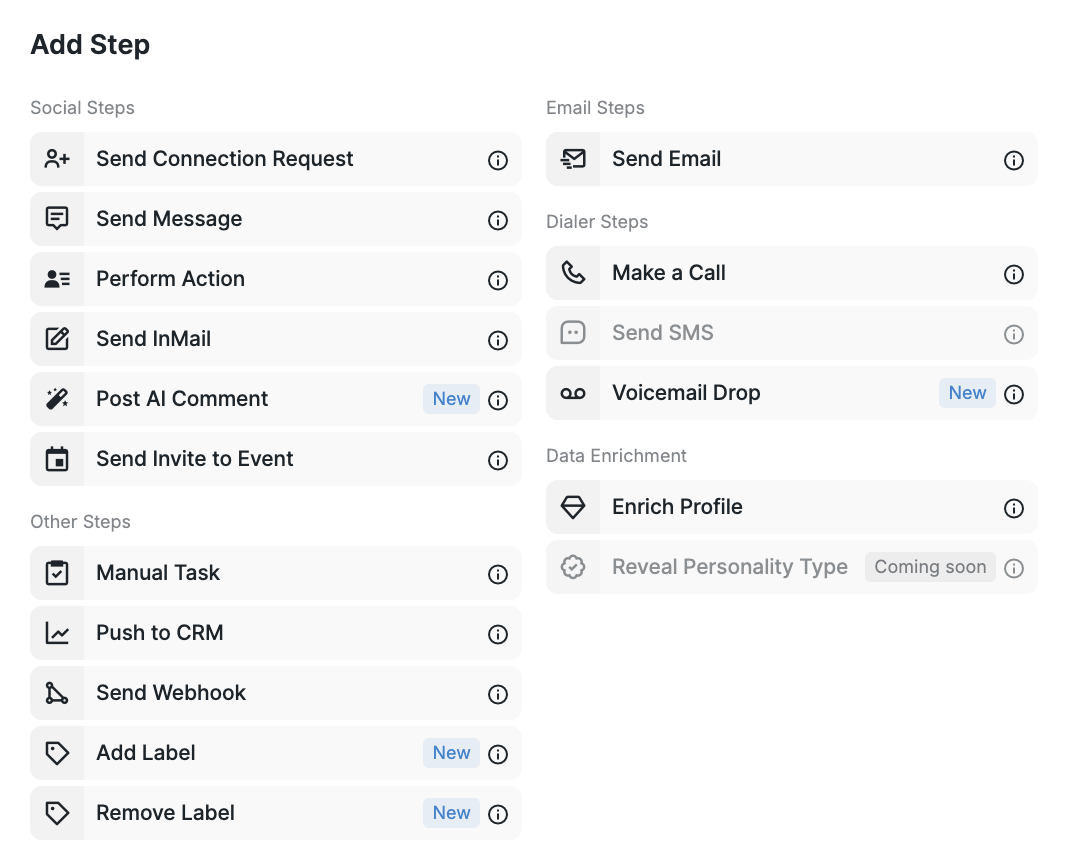
Steps in Email Only Campaigns
These campaigns are limited to email outreach, so there are fewer steps available in the sequence:
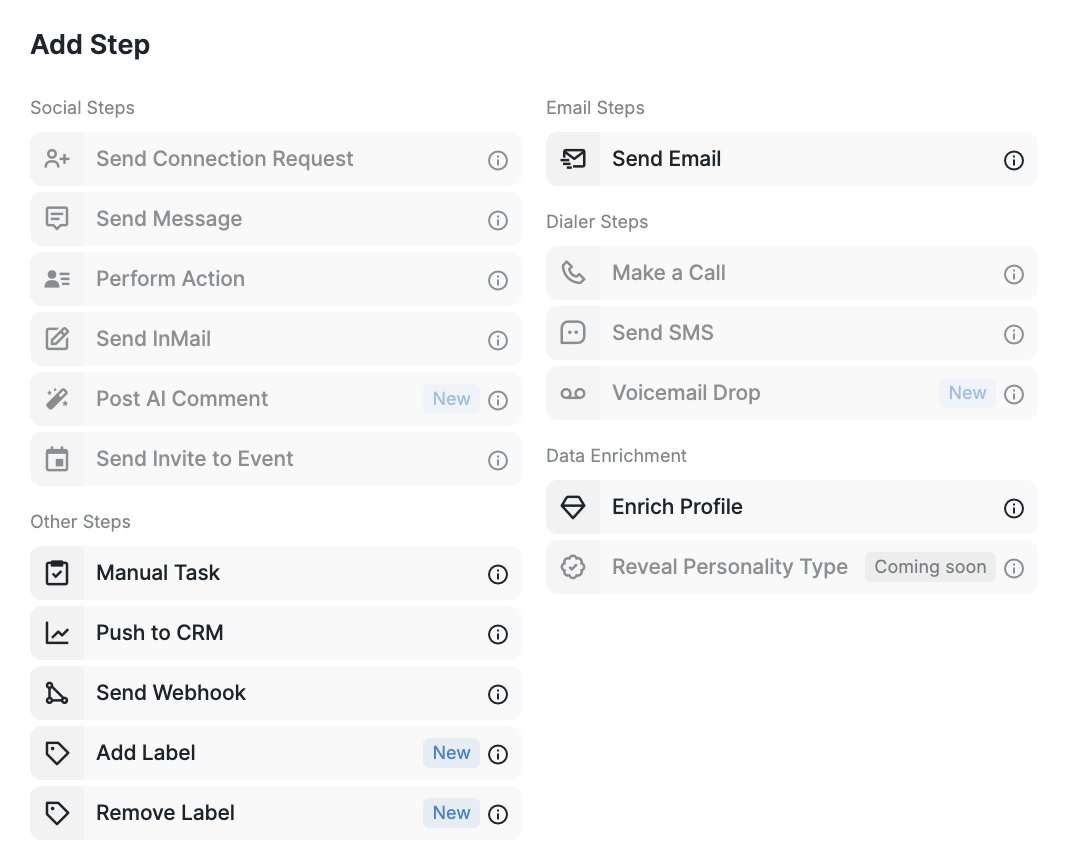
Note: When selecting the Email Only outreach type, the "Premium only" toggle is removed, as it applies exclusively to Social-based functionality.
Filtering by Outreach Type in Inbox
The Inbox allows filtering messages by channel — you can view only email responses, or just Social replies.
If you're unsure which campaign type fits your strategy, reach out to our Customer Success team — we’re happy to help!