Sales Navigator InMails, Boosters & Important Limitations
Last updated: August 20, 2026
Sending Sales Navigator InMails to Closed Profiles
To send InMails to closed profiles using Sales Navigator credits, you must:
Have an active Sales Navigator subscription
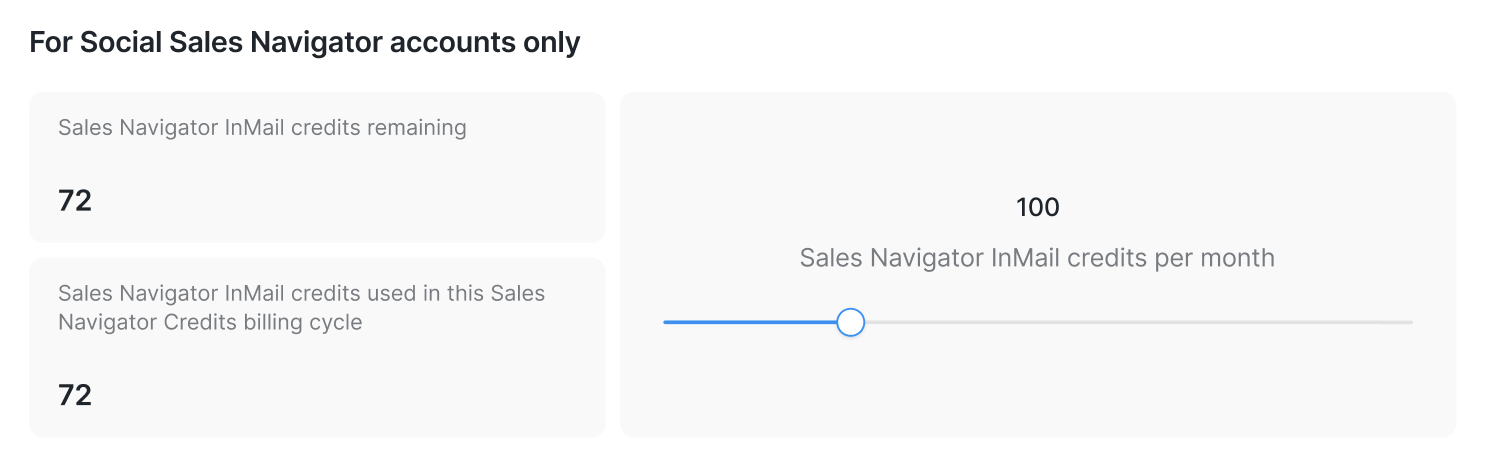
Toggle on Allow to use my InMail credits in the Send InMail step
Go to Settings > Account Limits and set the InMail credits per month limit (this controls how many Sales Navigator InMails can be sent from campaigns each month)
InMails Booster Explained
InMails Booster allows you to send InMails to open profiles using the API.
Benefits:
Saves the Views of profiles limit
Enables broader and more efficient InMail outreach
If the booster is disabled:
Views of profiles limit will be consumed
Once the limit is reached, InMails will stop sending
It’s important to monitor this limit closely.
Additional Rules & Limitations
Please keep the following in mind:
The system currently supports Sales Navigator InMails using Sales Navigator credits (not Premium or Recruiter)
InMail credit amounts depend on your subscription status. When your Sales Navigator subscription ends, credits expire
You cannot send an InMail to:
A prospect who already accepted your connection request
A prospect who opted out of receiving InMail messages
On our platform, you can configure InMail sending limits per account within campaigns. The system allows you to set anywhere from 1 to 80 InMails per operating cycle (one system working day):
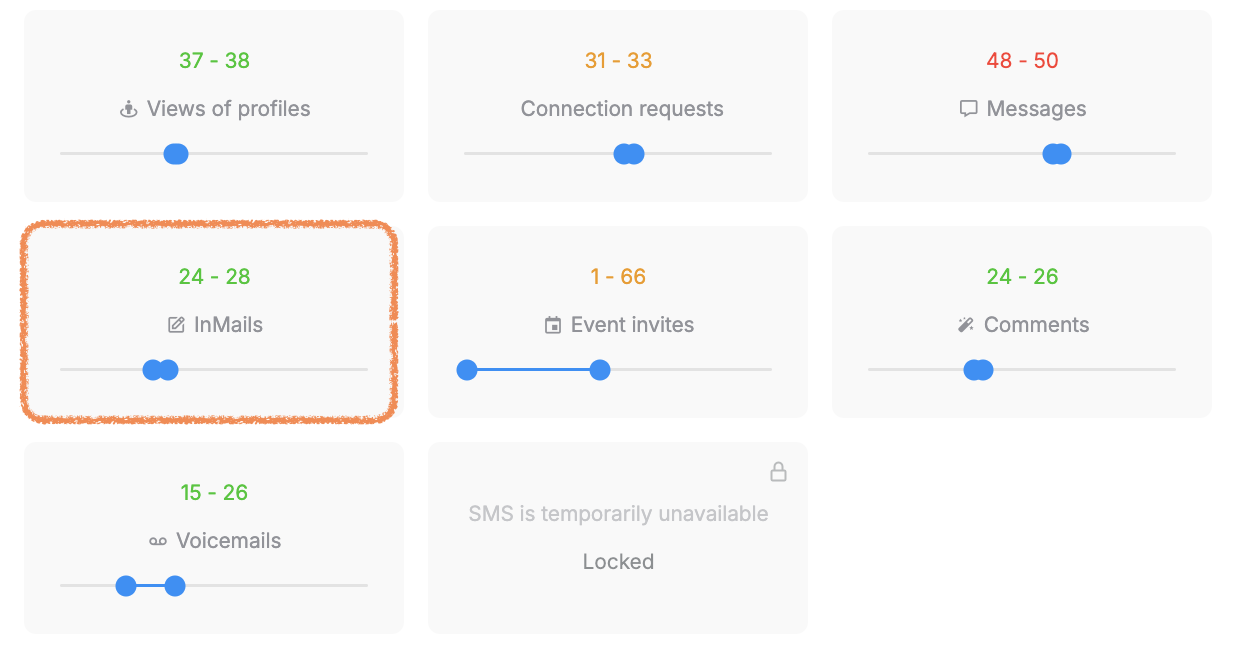
However, setting a limit does not guarantee that the platform will always send the exact number configured. Actual sending volume depends on multiple external factors, including:
The Social Account type and subscription
Overall account reputation and recent activity
The Social Platform's internal sending restrictions
Availability of InMail credits
The ratio of Open Profiles vs. Closed profiles in your target audience
Engagement metrics such as reply and acceptance rates
Because the Social Platform enforces its own dynamic limits, the real number of InMails sent over a 30-day period can vary significantly from account to account, even with the same campaign settings. Some accounts send 20-30 per day, while others send 5-10.
Is InMail still an effective outreach tool?
InMail can still be effective when used correctly, but it generally works best as a complementary channel, not the only outreach method.
Best practices for InMail outreach
Use InMail selectively (for high-value prospects or decision-makers)
Personalize messages and keep them concise
Maintain a healthy sending volume rather than pushing maximum limits
InMails can significantly boost your outreach efficiency when used correctly. By setting up campaigns thoughtfully, using boosters strategically, and understanding platform limits, you can dramatically improve response rates.
If you have any questions or need help optimizing your InMail campaigns, don’t hesitate to contact our Customer Support team — we’re always happy to help 💙