Voicemail Drops Billing: Workspace Admin Guide
Last updated: May 13, 2026
This guide covers everything you need to manage VM Drops number billing within your workspace — including how charges work, how to control member access, and what to do when payments fail.
What Are VM Drops Numbers?
VM Drops numbers are phone numbers used to send voicemail drops to prospects. Each number costs $1 per month/$12 a year (or the credit equivalent set for your workspace).
Managing Member Access
By default, Workspace Members cannot buy, renew, or manage VM Drops numbers. As a Workspace Admin, you control who gets those rights.
Granting and Revoking Purchase Rights
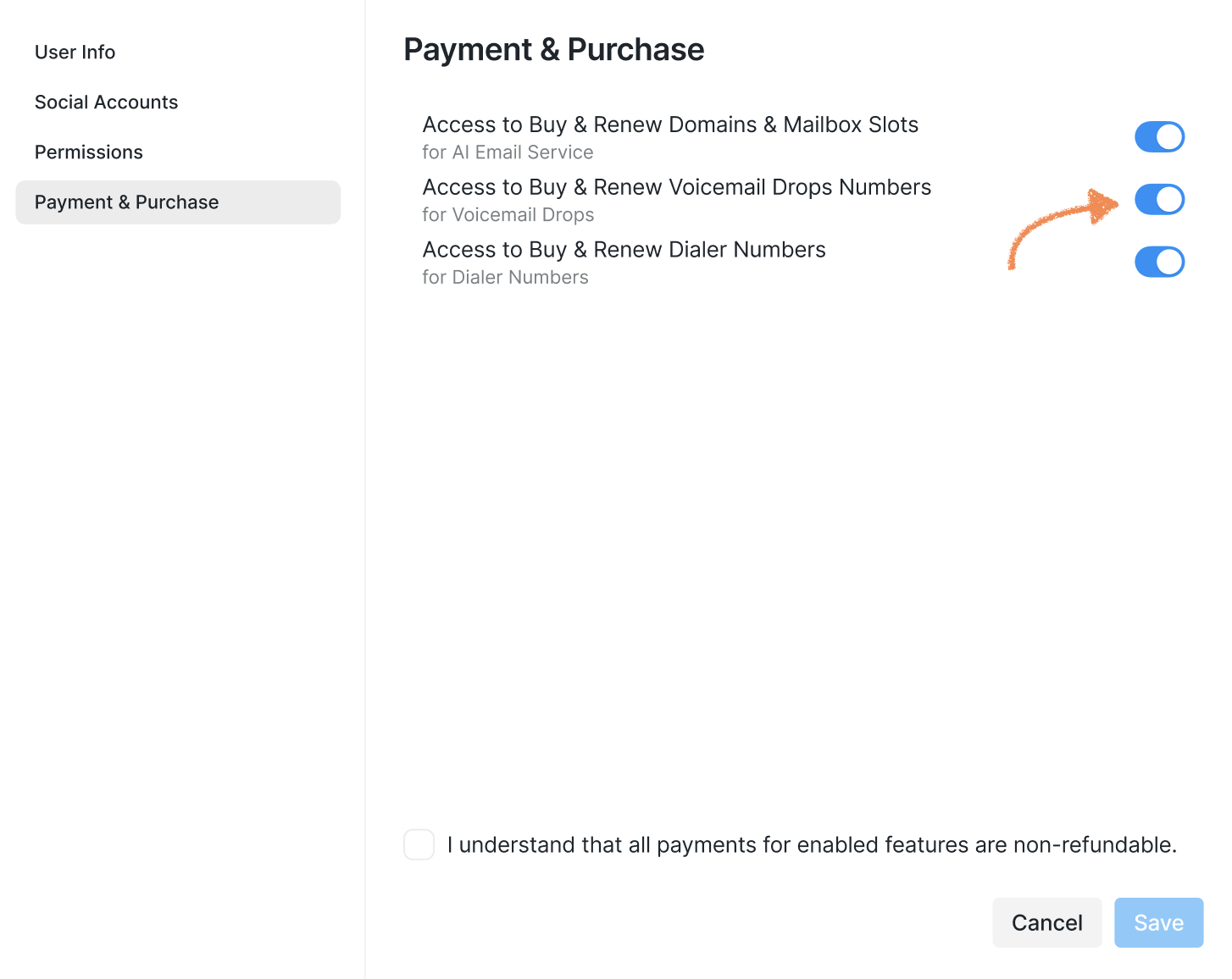
You can grant or remove a member's ability to purchase and renew VM numbers from Workspace Settings. Everyone in the workspace can see which members currently have purchase rights.
Note: Members with purchase rights cannot delete VM Drops numbers.
Only Workspace Admins (and above) can delete numbers.
To manage a member's rights, go to Workspace Settings > Members, choose an account you want to configure the rights for, then toggle the setting:
How Billing Works
Billing Date
After every VMD drop purchase, a record of the purchase is created in your Stripe subscription (or in our own system, depending on your billing setup).
The billing date is anchored to the date the number was purchased.
VMD numbers are billed on a monthly or yearly cycle, depending on how your main subscription is configured.
Pricing
Each VM number costs $1 per month/$12 per year when paying in USD. Credit pricing is set by your WL Admin. When buying multiple numbers, the total is the sum of all individual prices.
Note: All VM number charges are non-refundable.
❗If a payment fails, you can:
Remove some numbers from the order (if you selected more than one)
Retry the payment
Switch to a different saved payment method (if paying in USD)
Close the order without completing the purchase
Payment Method Behavior (USD)
The full order amount is charged to a single payment method — you cannot split an order across multiple methods.
You can manage your saved payment methods through the Stripe Customer Portal.
When Renewal Fails
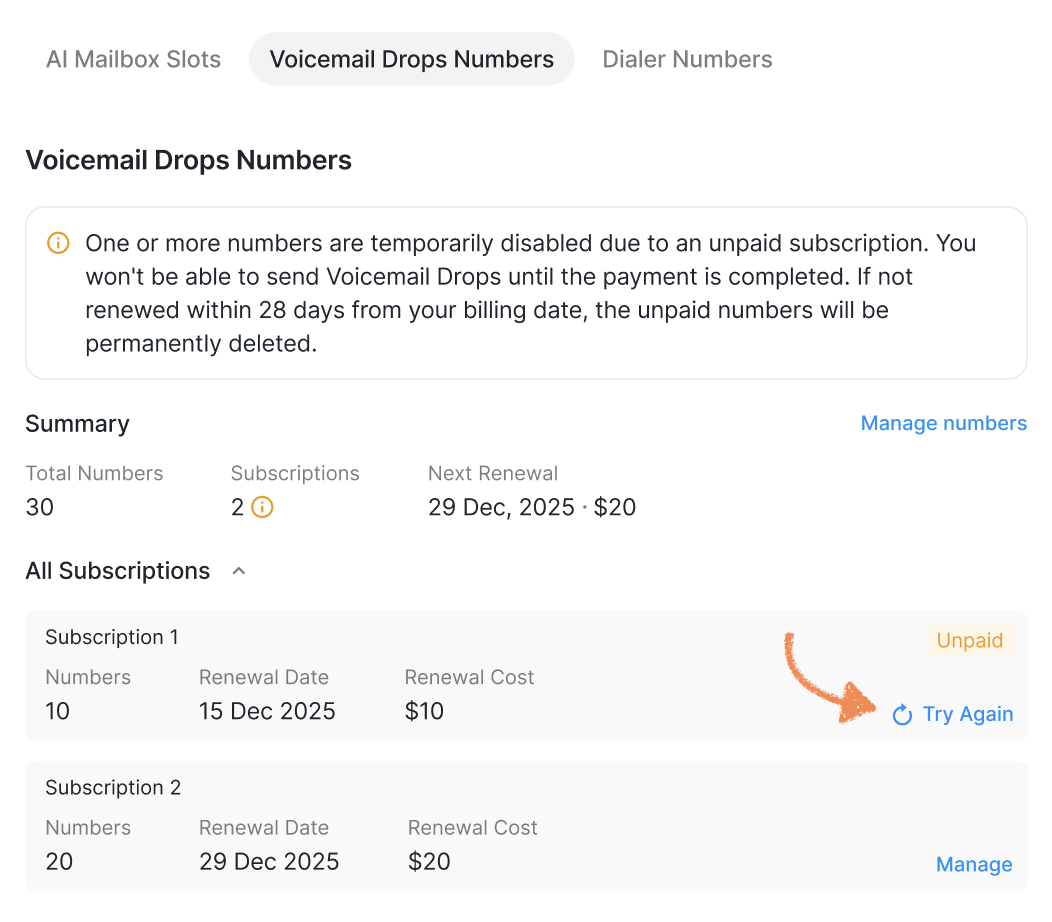
If automatic renewal fails across all payment methods, the following happens immediately:
All Workspace Admins receive an email with a link to the payment page.
VM Drops sending is paused for all numbers.
Affected prospects move to Pending with reason: Voicemail Drops Numbers are Unpaid.
Important: Forwarding numbers remain active even when VM numbers are unpaid.
Prospects who already received a voicemail can still call back and be redirected to the forwarding number.
If numbers remain unpaid for 28 days, they will be permanently deleted from your workspace.
Retrying Payment
You can manually trigger a retry at any time from the Billing tab — for example, after topping up your card. Once payment goes through, all restrictions are lifted and numbers are renewed automatically.
Deleting Numbers
You can delete VM Drops numbers at any time. No refund is issued, but the next billing amount is reduced to reflect the removed numbers. There is no prorated refund for the current cycle.
Viewing Billing Information
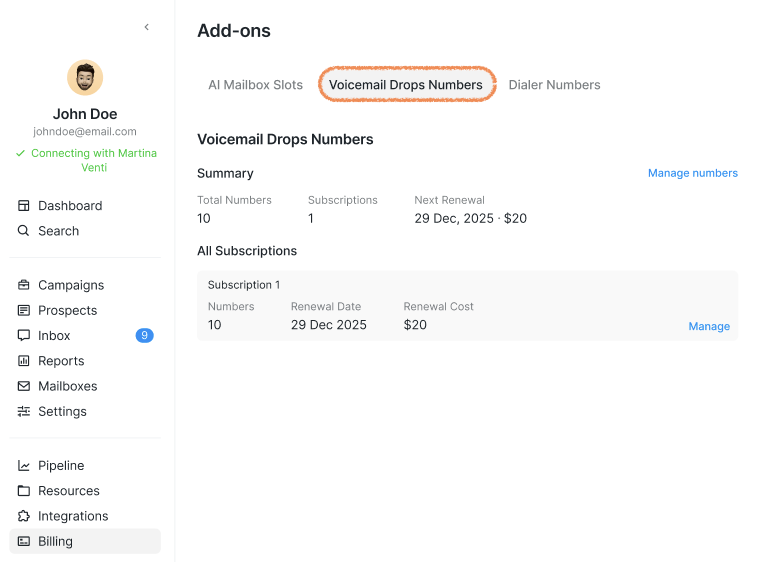
In Workspace Settings > Billing, you can see your active VM Numbers subscription, including:
How many numbers you are paying for
The total monthly charge (in USD or credits)
Your next billing date
Workspace Deletion
If your workspace is deleted, the system stops all renewal attempts and issues no refunds. VM Drops numbers are removed from the workspace 7 calendar days after deletion. You will see a warning about this at the time of deletion.