Highlights Emails: How They Work
Last updated: July 10, 2026
Highlights emails give you a regular summary of outreach activity across your workspace, so you can stay on top of what's happening without digging through the platform.
Frequency Options
You can receive Highlights on three schedules:
Daily — a snapshot of the previous day's activity
Weekly — a summary of the past week
Monthly — a broader overview of the past month
Setting Up Notifications
To start receiving Highlights emails, make sure you've enabled notifications in User Settings.
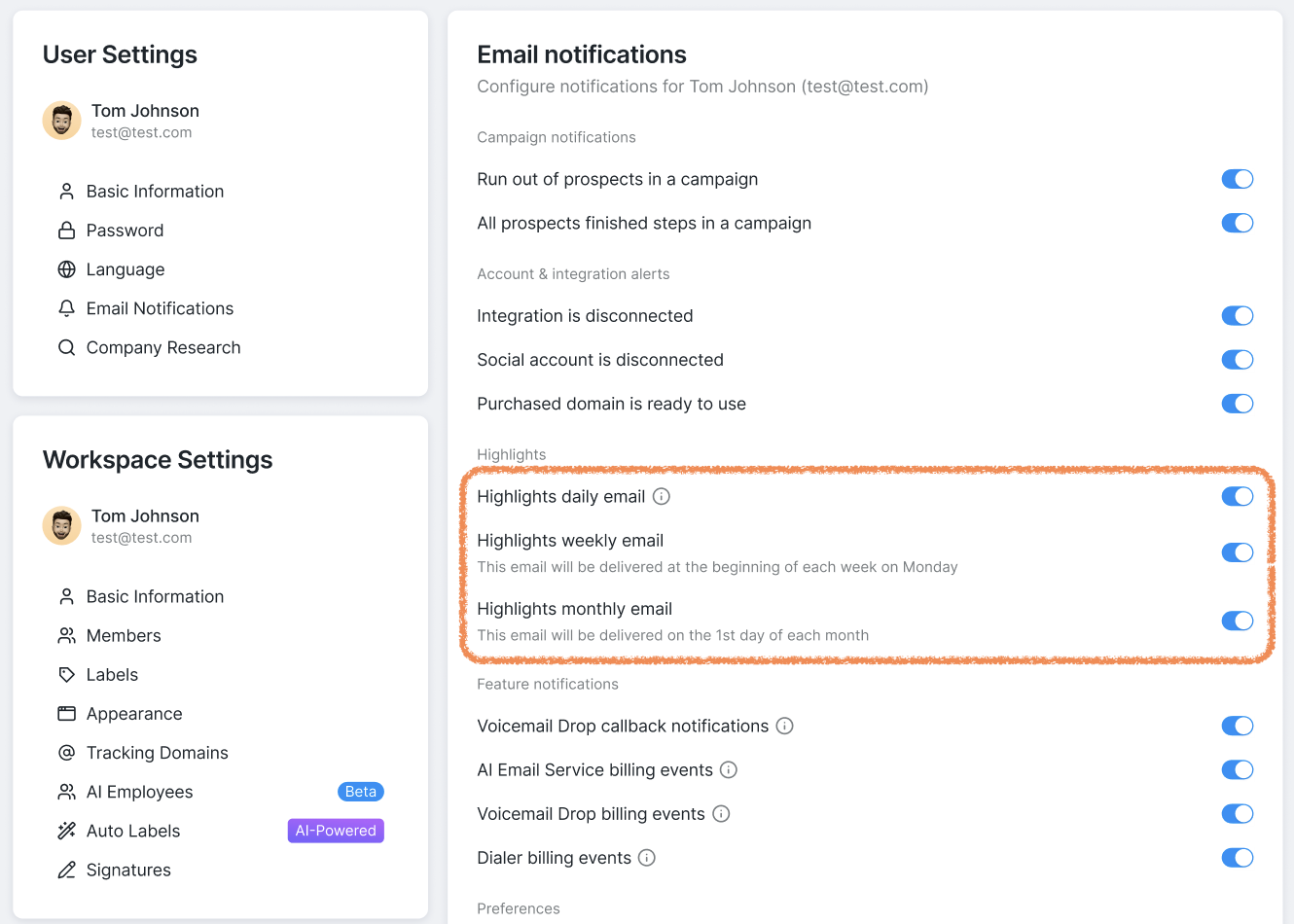
Along with the highlights, you can also choose to receive feature notifications for Voicemail Drops, AI Email Service, and Dialer events and updates.
By default, emails are delivered at 9 a.m. UTC, but you can change this delivery time in the same settings section.
What's Included
Each Highlights email covers the following activity:
Event | Tracked by |
Connection Requests Sent | Per Social Account |
Messages Sent | Per Social Account |
Emails Sent | Per Social Account |
InMails Sent | Per Social Account |
Calls Performed | Per user |
Tasks Completed | Per user |
How Highlights Are Sent
Each workspace member receives their own individual email.
A few rules determine when and how they're sent:
Daily Highlights are only sent if at least 10 qualifying events occurred in the workspace that day. If activity is below that threshold, no Daily email goes out for anyone in that workspace.
Weekly and Monthly Highlights are sent regardless of event count, as long as your notifications toggle is turned on.
If you're a member of multiple workspaces, you'll receive a Highlights email for each one (Daily emails still follow the 10-event rule per workspace).
If you want to stop receiving emails from all the workspaces you're part of, you'll need to go to each workspace individually and turn off the relevant toggles in its settings.
A Note on Social Account Access
Your Highlights email reflects activity across the entire workspace, not just the Social Accounts you have access to.
For example, if you have access to 2 out of 10 Social Accounts in your workspace, but activity was recorded across the other 8, your email will still include data for all 10 accounts. This is by design, as Highlights are meant to give you a full picture of workspace activity.