Feature Notifications: How They Work
Last updated: July 10, 2026
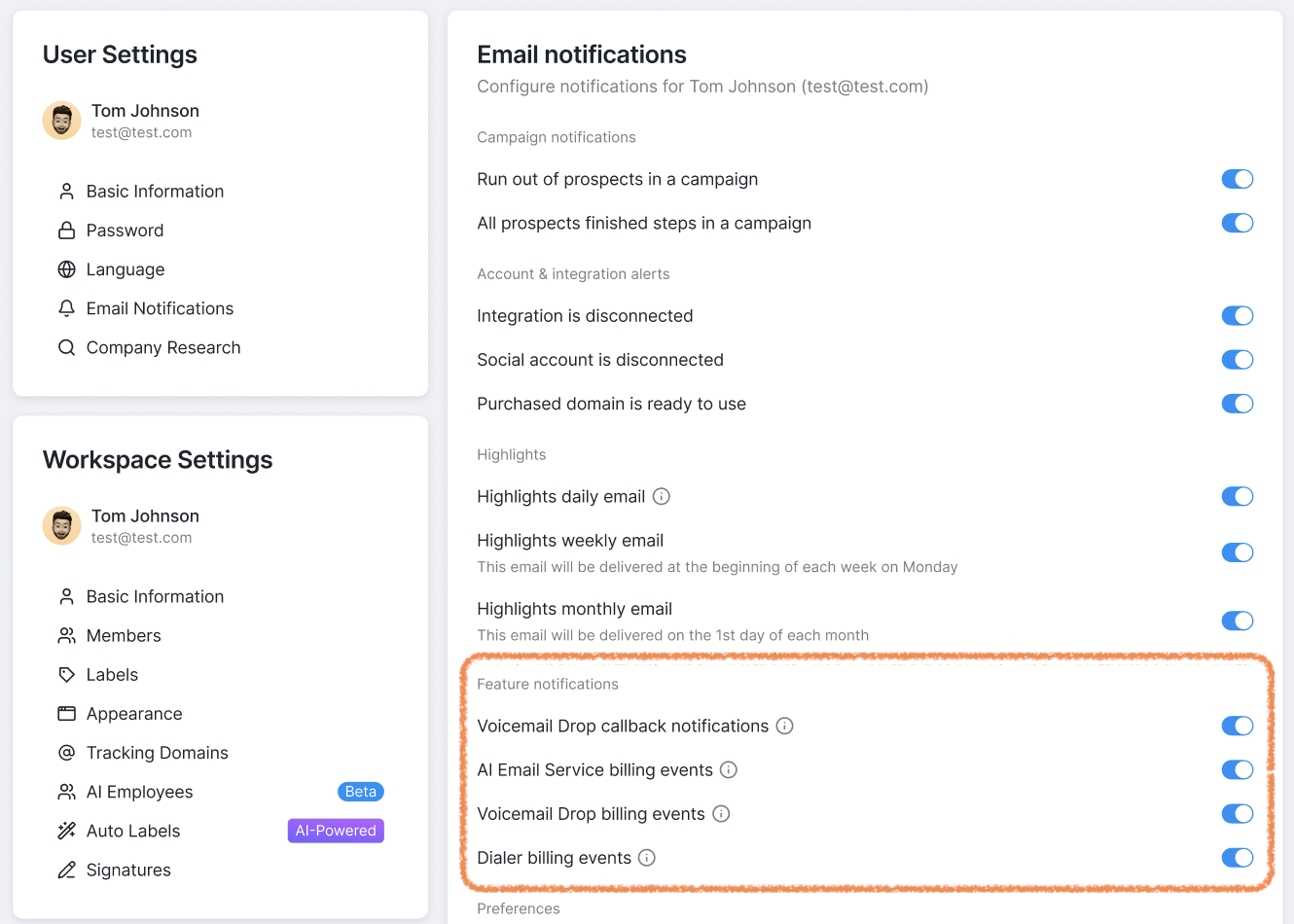
Besides the Highlights emails covered in this article, you can also choose whether you'd like to receive notifications about billing events related to your Voicemail Drops, AI Email Service, and Dialer.
To turn these notifications on or off, go to User Settings > Email Notifications.
What emails will you receive if you opt in?
If enabled, you'll receive email notifications about billing updates related to each feature:
Voicemail Drops: callback updates (coming soon!), subscription renewals, upcoming charges, outstanding or failed payments.
AI Email Service and Dialer: subscription renewals, upcoming charges, outstanding or failed payments.
Please note that if you're a member of more than one workspace, these settings apply separately to your user account in each workspace. This means you can either:
choose which workspaces you'd like to receive these notifications for, or
enable or disable them for all your workspaces by updating these settings in each workspace individually.
These notifications help you stay up to date with important billing and feature-related events. Configure them however you prefer to keep your team's work on the platform running smoothly and transparently.