How to Use AI Powered Comments
Last updated: August 4, 2026
AI Powered Comments is a feature that uses the latest AI advancements to generate personalized comments for your prospects.
Here is a quick guide on how to set it up and enhance your outreach.
How to Add an AI Comment Step
Start by creating a campaign. Navigate to + Create New Campaign and select either Simple or Smart, depending on your desired outcome.
In a Simple campaign, you will find AI Powered Comments by clicking Add Step and selecting Post AI Comment.
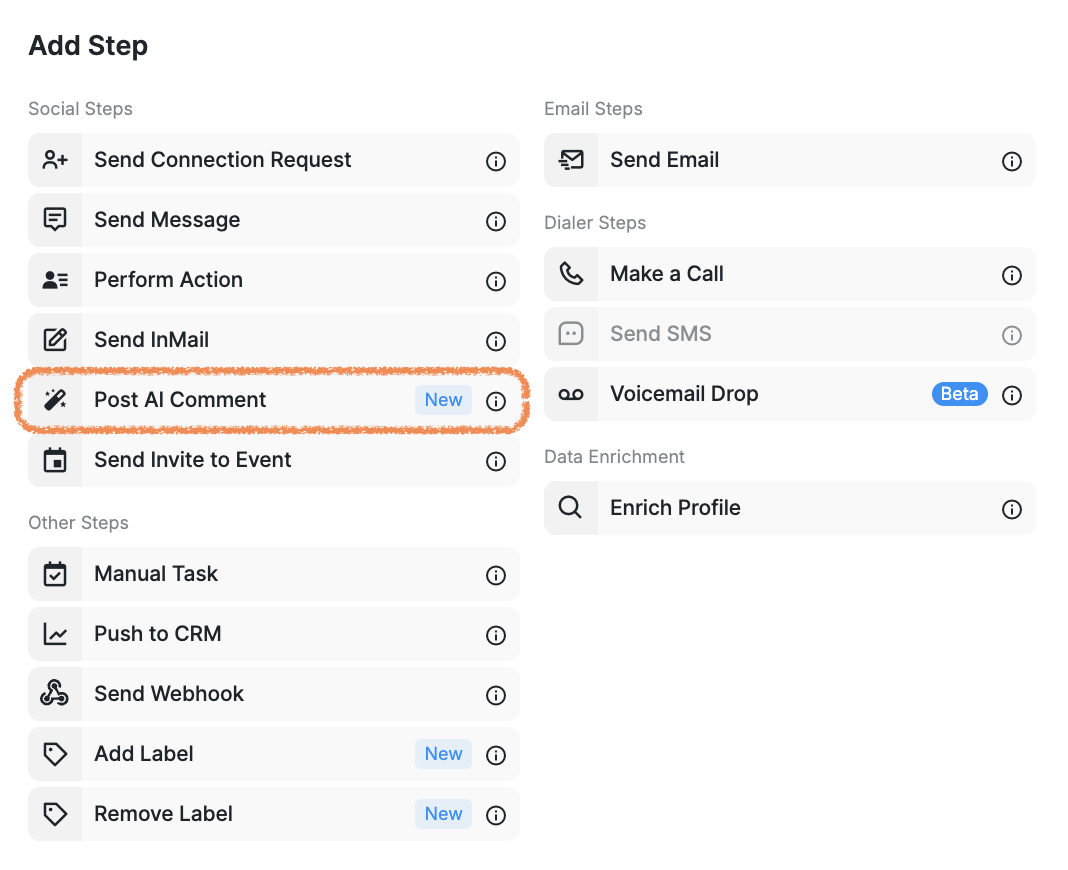
With this feature, the system analyzes the prospect's profile posts and generates the most relevant comment. The important part of this step is to fine-tune the tone of your comments by applying custom prompts.
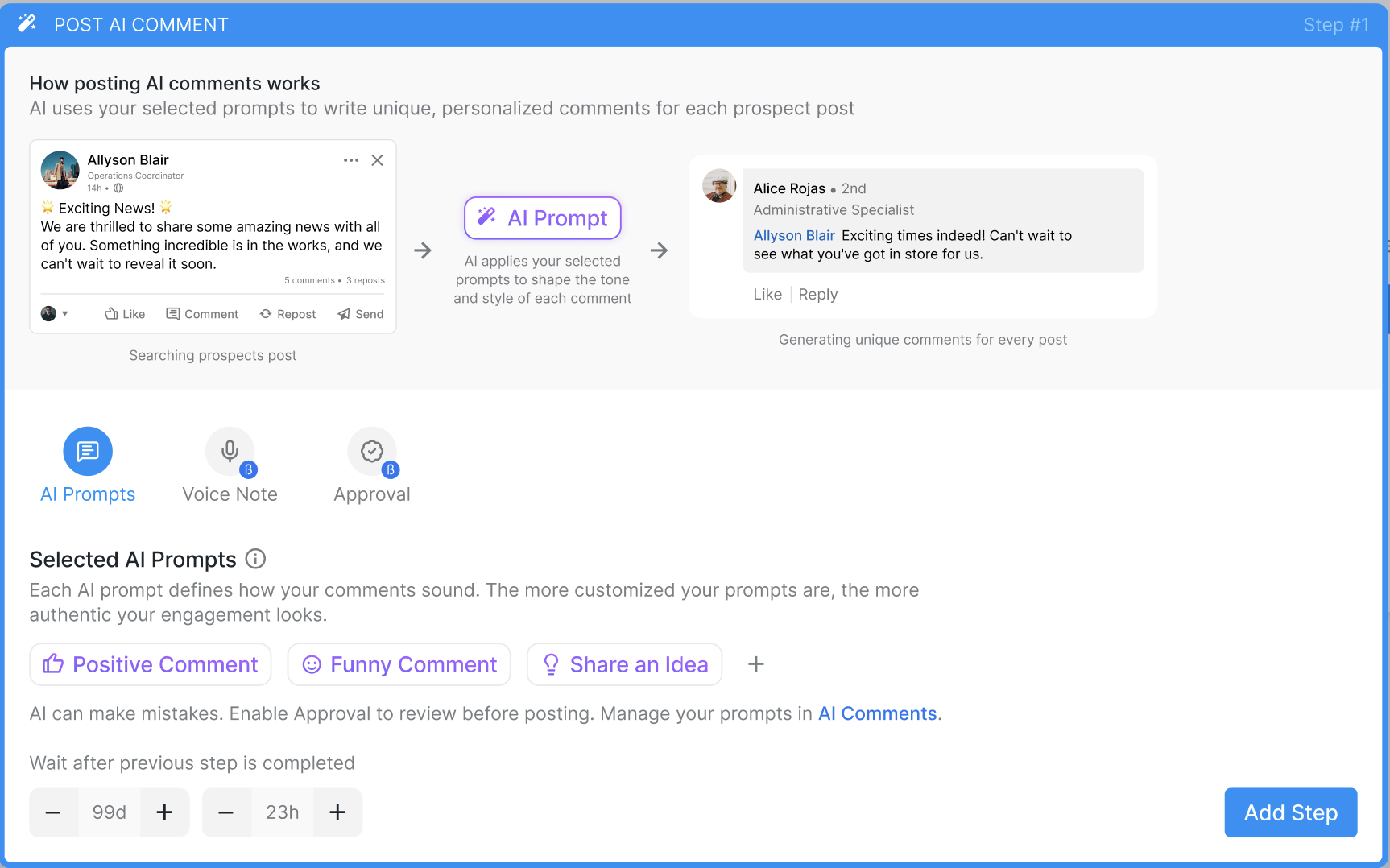
You may also enable manual approval for this step and configure waiting periods to ensure a seamless campaign flow. Once you have selected the prompt(s) and set everything up, click Add Step to continue.
For Smart campaigns, access AI Powered Comments by clicking Open Sequence Builder. Drag and drop the Post AI Comment action from the right sidebar to the desired point in your campaign sequence.
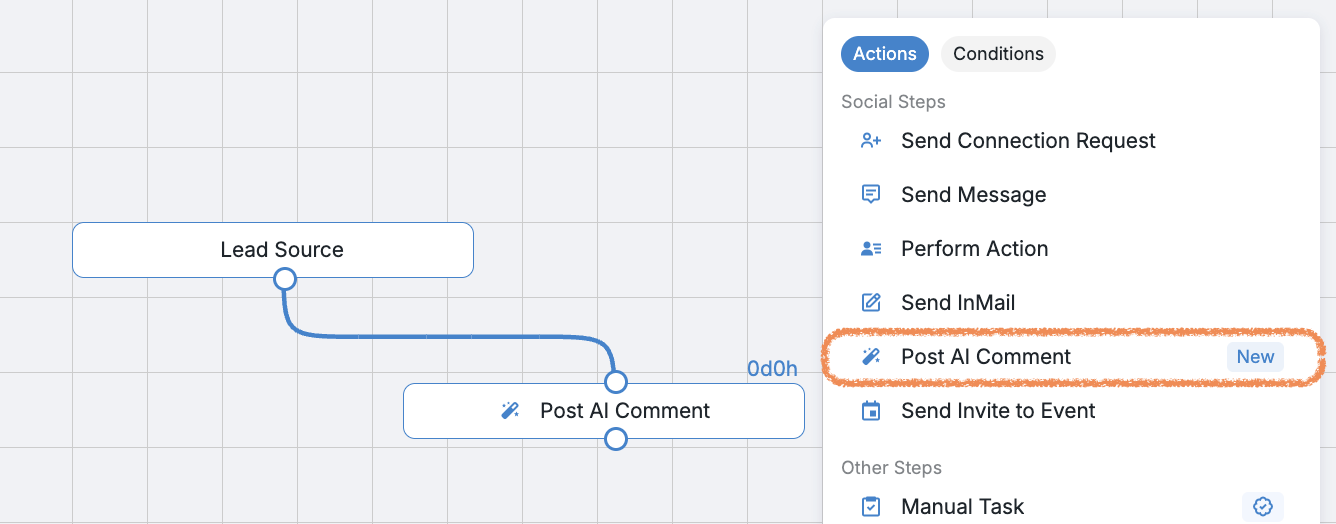
To adjust settings, click the Post AI Comment bubble within the sequence, where you can choose the appropriate tone of voice for your comment.
If you schedule a step to post an AI-generated comment and then set up another comment step two weeks later, the system will not repeat the comment on the same post if the prospect hasn’t published anything new. Instead, the system will automatically skip the second comment step for that prospect and mark it as skipped in your campaign. This helps avoid duplicate engagement on the same content.
If the system finds the next post that hasn't been commented on yet, it will leave a comment on that one instead — as long as one is available.
Please note: The system can only leave comments:
On the prospect’s most recently published post, regardless of when it was published;
If comments are enabled on the post;
If the post is not a repost.
If there are no posts that meet these criteria, the "Post AI Comment" step will be skipped for this prospect.
All AI-generated comments can be viewed by heading to your Inbox, selecting the relevant chat, and clicking on Posts.

Alternatively, you can access the comments by going to the Prospects tab and selecting the specific prospect to view the comments you have left for them.
What Language Do AI Comments Use?
You can choose which language to use for AI commenting by including it into the prompt(s) applied to your campaign step.
Learn how to create and add prompts for AI comments in this article.
If you have any questions regarding the AI powered comments, please do not hesitate to reach out to your Customer Support team.