How to Delete and Pause a Search
Last updated: May 22, 2026
If you want to pause or delete a search you've added to your campaign, here's how to do it.
Deleting a Search
There's one thing to keep in mind when it comes to deleting a search — you can only do this before you save and launch your campaign. To delete, click the three-dot button and choose Remove.
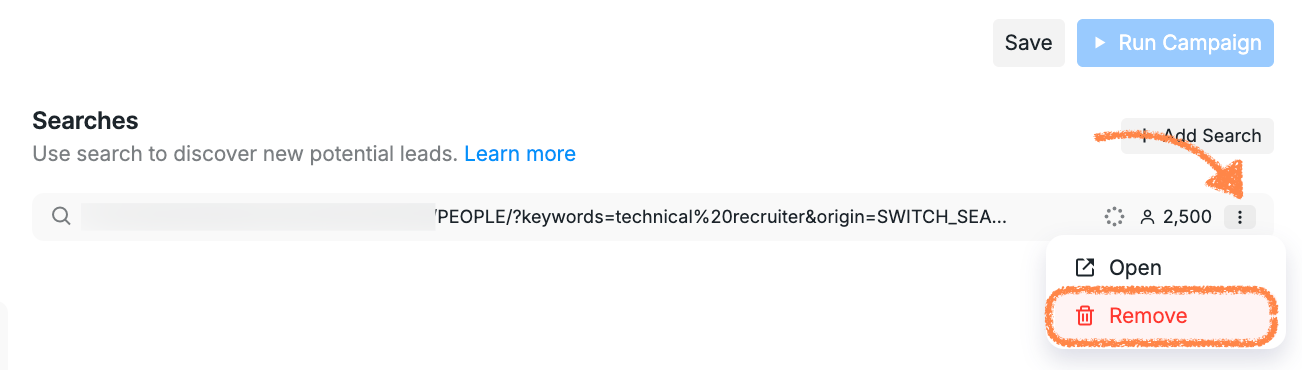
Once you save or run your campaign, you won't be able to remove it entirely. However, if you want to keep working with the same campaign setup, you can pause the search you no longer need and add a new one in its place.
Pausing a Search
To pause a search in a campaign you've already launched, open the campaign in edit mode:

Then click the three-dot button next to the search you want to pause and choose Pause.
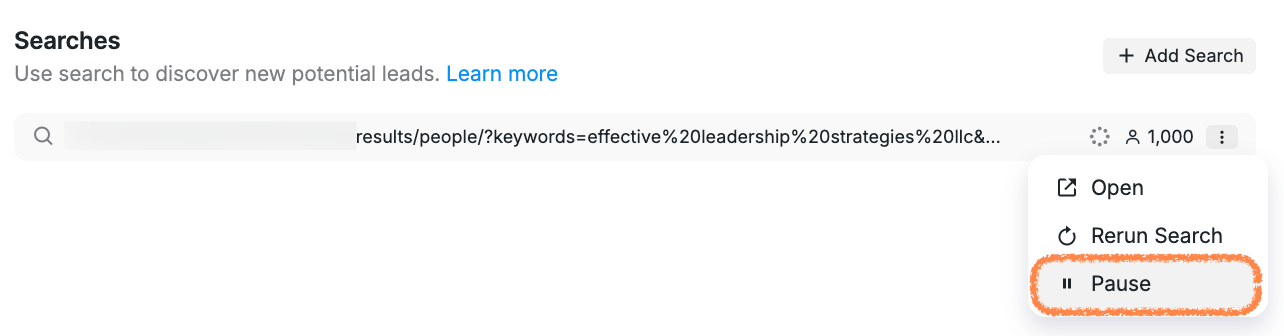
Outreach will stop for that search, and you can add a new updated one whenever you're ready.
If you have any issues managing your searches, feel free to reach out to our Support team for tips and guidance.