Conversations are not synchronizing in the Inbox
Last updated: April 13, 2026
At times, you may notice discrepancies between the messages you have in the Inbox and those on your Social profile. When this occurs, you can attempt to manually sync the conversations.
Understanding the conditions that trigger conversation synchronization is essential. For instance, if your account is set to sync every 20 minutes, this does not guarantee that all conversations will update at this interval.
The Inbox sync period can be set up in two ways:
When the system is active, during System Operating hours.
When the system is inactive, outside of System Operating hours.
For instance, within System Operation hours, you have set the sync interval to 20 minutes.
The 20-minute interval represents the maximum sync time, meaning:
Message 1 arrives.
The system syncs.
After 5 minutes, Message 2 arrives.
The system waits an additional 15 minutes before syncing again.
If no notifications are received, synchronization will not occur.
Potential reasons for extended gaps between syncing include:
When there are no active campaigns, the system stops syncing for security purposes.
Less frequent synchronization during non-operating hours.
Proxy-related issues may arise. For further assistance, please reach out to our Customer Support team.
To set up your Inbox sync time intervals, head to the Settings tab > Account Settings > Social Inbox Sync Interval Settings:
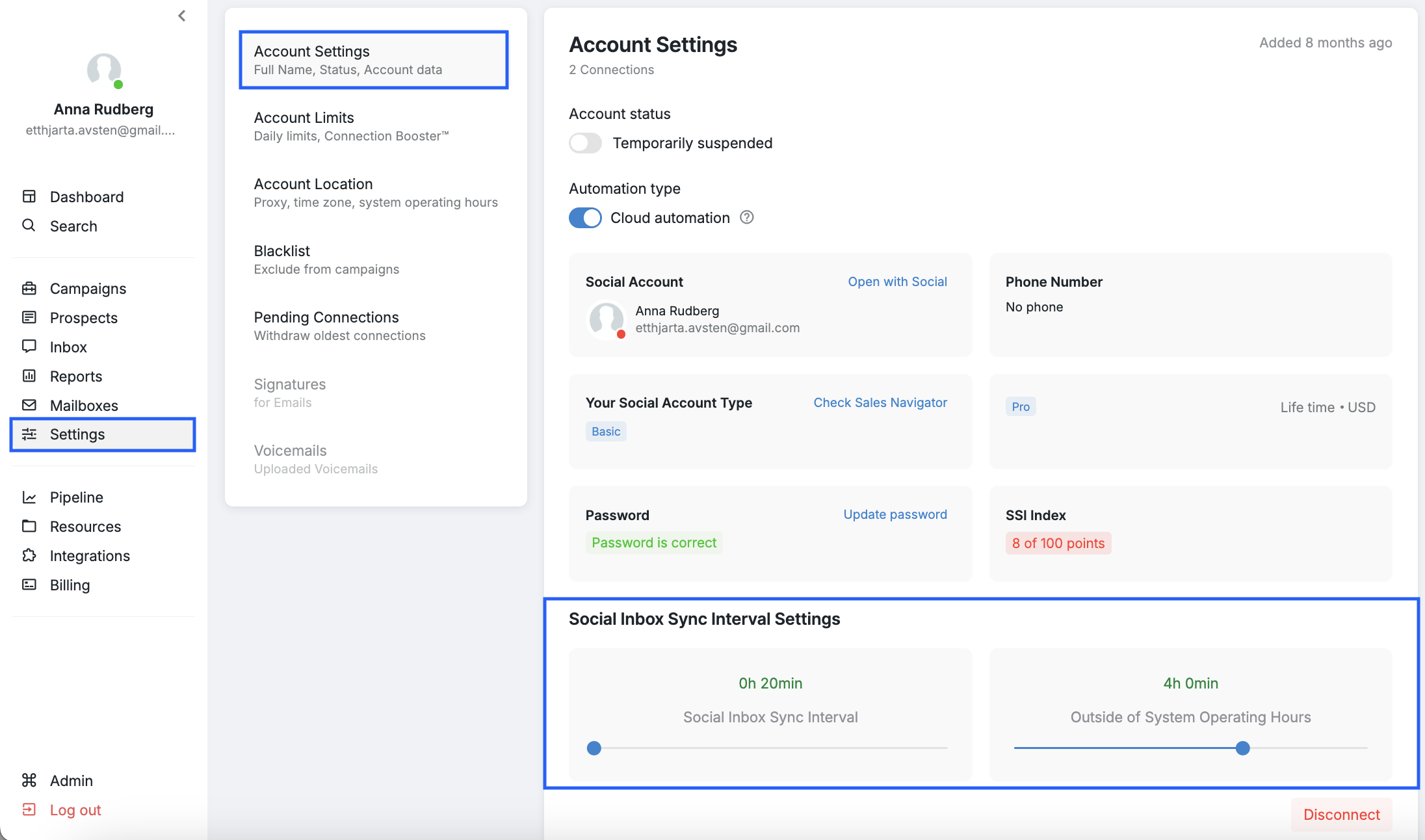
If you notice a new message on Social that does not appear on the platform after some time, please attempt to manually sync the conversations from the Inbox.
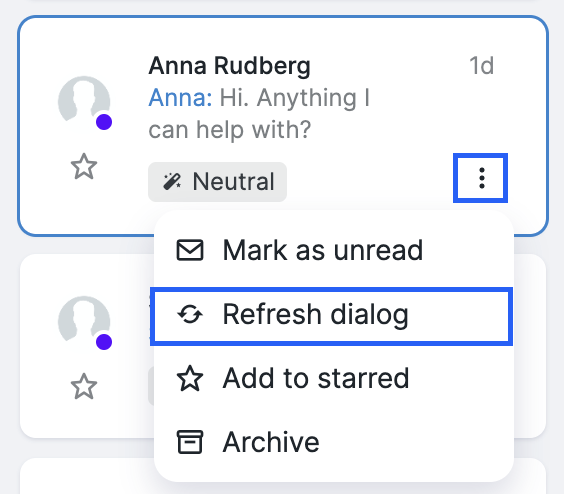
To do that, clock on the three-dot button next to the conversation you want to refresh and choose Refresh dialogue:
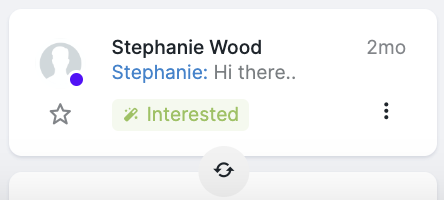
If you want to refresh all conversations at once, press the refresh at the bottom of the conversations' list:
If the issue persists, please contact our Customer Support team for further assistance.