How to Identify Warm-Up Emails and Monitor Your Warm-Up Progress
Last updated: January 23, 2026
Warm-up emails are automatically generated by the system and are different from your real campaign emails. Understanding how to recognize them — and how to measure warm-up success — can help you feel confident during the process.
How to Identify Warm-Up Emails
Warm-up emails include special internal tags that distinguish them from real outreach emails.
Each mailbox has its own unique tag, such as:
drive-stiffhurry-lower
These tags are automatically added to help email providers recognize the messages as legitimate. Depending on your email client, the tags may not always be visible—but if you see them, the email is part of the warm-up process.
How to Monitor Warm-Up Progress
Rather than focusing on individual delivery failures, it’s best to monitor your overall warm-up health using the built-in statistics.
To view your warm-up stats:
Go to Mailboxes
Select the mailbox you want to review
Click the three-dot menu
Choose Manage
Review your warming statistics, including:
Warming Emails Sent
Warming Emails Replied
Emails Saved From Spam
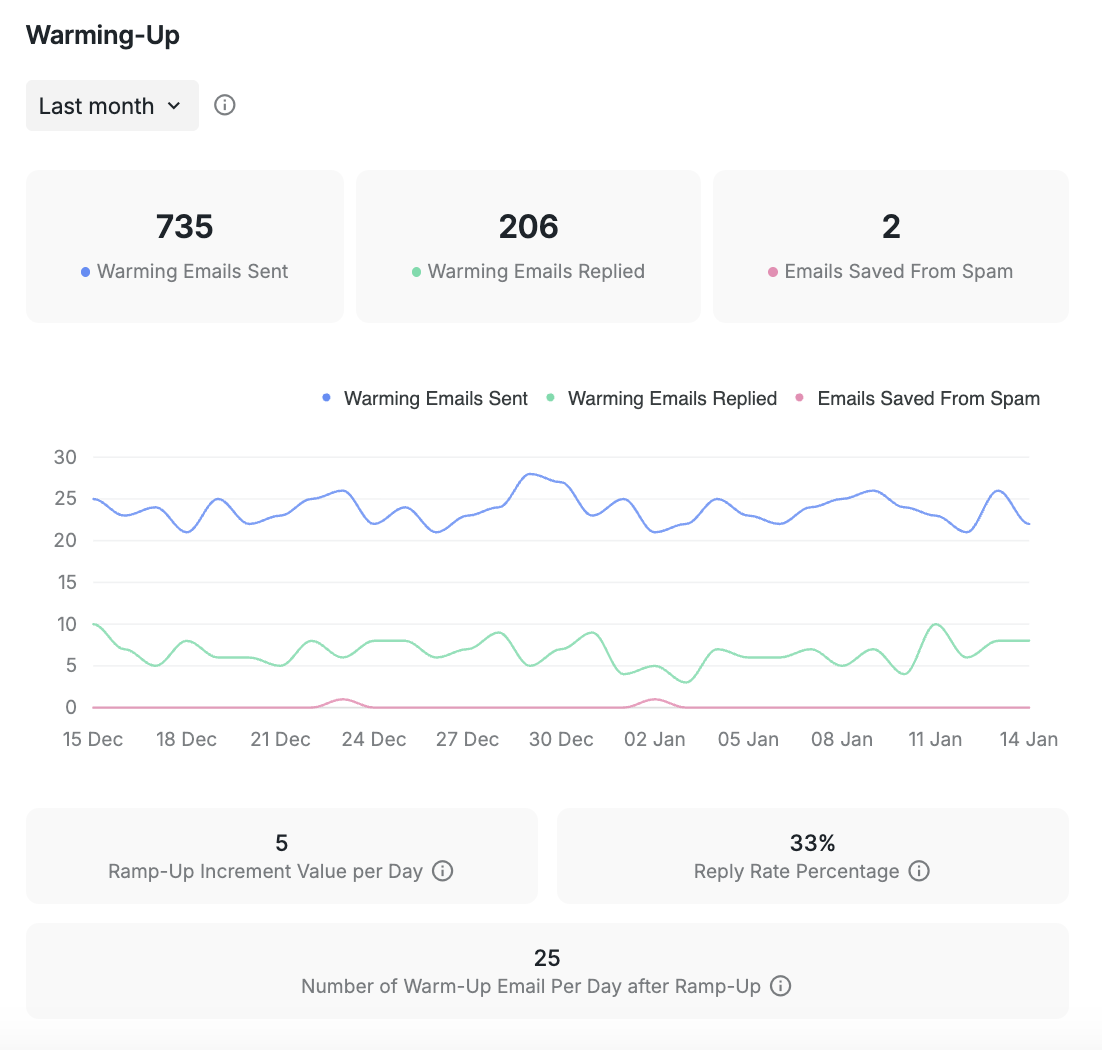
These metrics provide a much clearer and more accurate picture of how your mailbox reputation is improving over time.
Please note that warm-up is currently supported exclusively for mailboxes integrated via SMTP or the AI Email Service.
Occasional delivery failures during warm-up are completely normal. Your warm-up is still running effectively, and your real outreach emails remain unaffected.
If you ever have questions or want help reviewing your warm-up performance, our Customer Support team is always happy to help.