Why are imported prospects showing as "New" instead of their correct connection status?
Last updated: July 17, 2026
When importing prospects into a campaign via a CSV file, you may notice that some or all prospects appear under the New status, even if you are already connected with them on the Social Platform or have had prior conversations. This can be confusing, especially when you expect the platform to recognize existing 1st-degree connections or message history automatically.
Why does this happen?
Don't worry - this is to be expected. When a prospect is imported via CSV, the system cannot reliably determine their current Social connection status at the time of import. As a result, all imported prospects are assigned the default status of New.
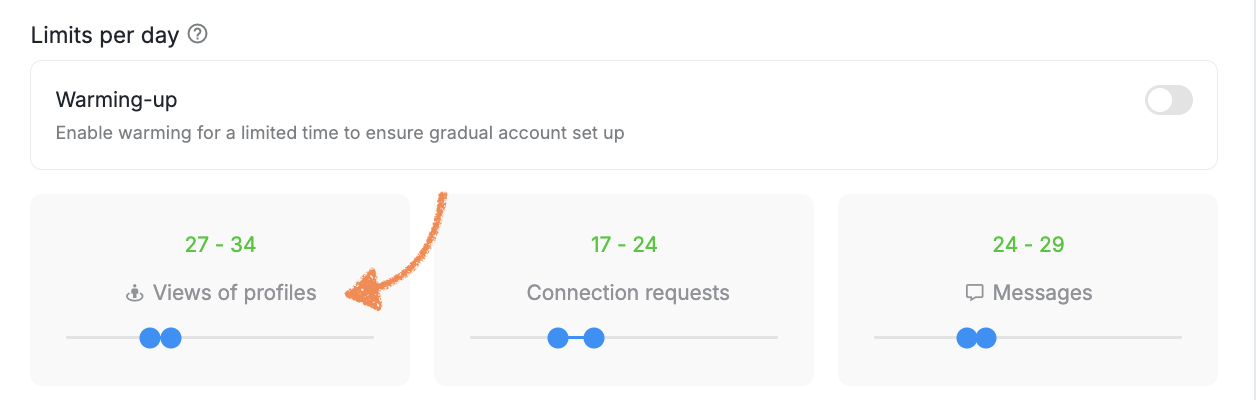
The only way for the system to determine and update the correct connection status is by visiting the prospect's Social profile. This profile visit consumes your daily Views of profile limit.
If some prospects have already moved into the correct status (e.g., Connected or Contacted) while others have not, it is because the system has already processed profile fetches for those prospects within your daily limit, but has not yet reached the remaining ones.
Common reasons prospects may not be updated yet
Your daily Views of profile limit has been fully spent each day, so the system is processing prospects gradually.
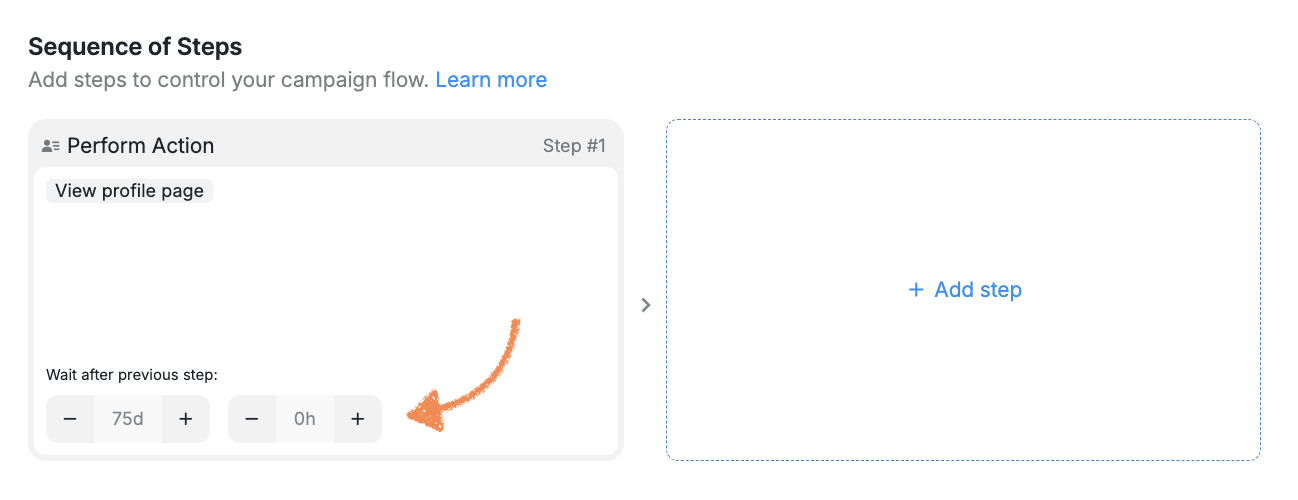
The first step in your campaign sequence has a long delay (e.g., 75 days), which postpones when the system visits profiles and fetches connection data.
Other active campaigns with Perform Action steps are also consuming your Views of profile limit.
What you can do to resolve this:
Reduce the delay on the first campaign step: Go to your campaign's Sequence of Steps settings and change the "Wait after previous step" delay on Step 1 to
0d(or a short interval). This allows the system to begin visiting profiles and updating statuses sooner.
Increase your Views of profile daily limit: A higher limit allows the system to process more profile fetches per day, speeding up status updates across all imported prospects.
Review other active campaigns: If you have campaigns with Perform Action steps that are not currently needed, consider removing those steps or adding a delay to them. These steps also consume your Views of profile quota, which can slow down status updates for newly imported prospects.
Once the system visits a prospect's profile, it will automatically update their connection status and conversation history based on the current state of your Social Account.