Managing Prospect Data in HubSpot
Last updated: June 30, 2026
It’s important to control how prospect data is handled and displayed in HubSpot. This article covers ownership, deduplication, email handling, social activity syncing, and where to find synced activity in HubSpot.
The settings you choose for your HubSpot integration only apply to your Social Account and do not affect other users in your workspace.
Choose a Contact Owner in HubSpot
This integration allows you to assign a contact owner in HubSpot. This determines which HubSpot user your pushed contacts will be assigned to.
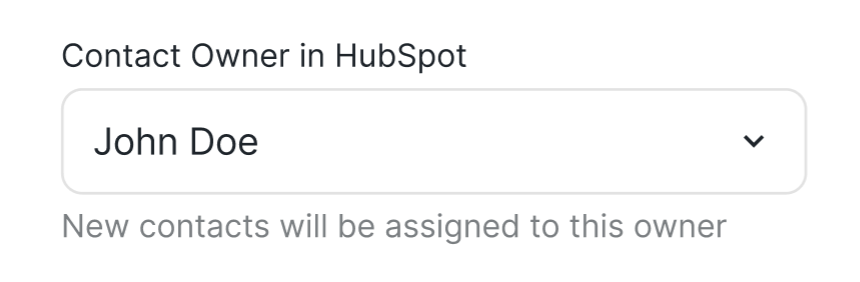
Choosing an owner is mandatory.
Enable Prospect Deduplication
Prospect Deduplication helps prevent duplicate records in HubSpot. Before a prospect is pushed to HubSpot, the system checks for existing records and avoids creating duplicates.
This setting is enabled by default.
If you disable it:
Duplicate prospect records may be created in HubSpot.
Existing data on a contact may be overwritten or lost.
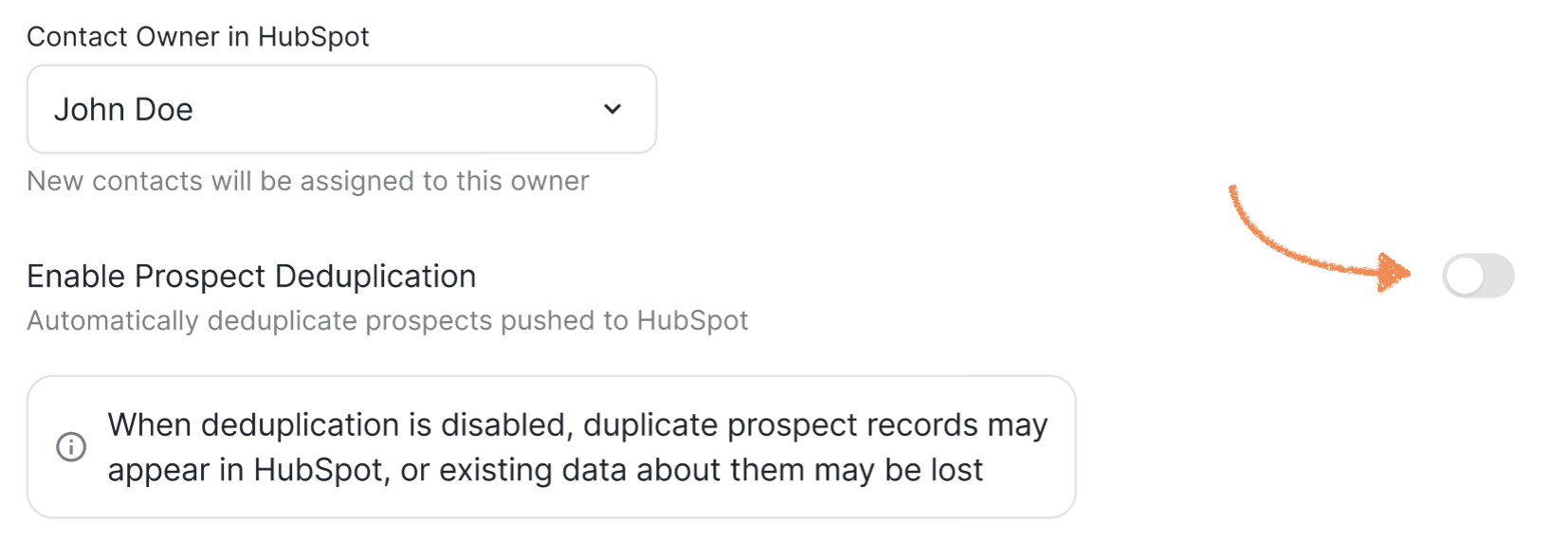
💡 Best practice: Keep Prospect Deduplication enabled to maintain clean and accurate records in HubSpot.
Email Order
The Email Order setting lets you define and prioritize which email address should be sent to HubSpot. Since HubSpot only allows one primary email per record, we will check your set priority and push the highest-ranked available email.
How it works:
You can reorder emails by dragging and dropping the tiles to set your priority.
The system will push the top available email in your list to HubSpot as the primary email.
If a prospect has an enriched email, it will still be sent to HubSpot as a property, even if it matches the primary email.
Please note that If Prospect Deduplication is disabled and you change the email order, you may create duplicate records in HubSpot. This happens because the prospect’s primary email may change, and HubSpot could treat it as a new record. To avoid duplicates, we strongly recommend keeping Prospect Deduplication enabled.

Social Conversations
This setting is to further customize the activity logging for your Social Platform interactions.
Sync Social Connection Requests – syncs when connection requests are sent on the Social Platform. Received connection requests aren't synced.
Sync Social Messages – Syncs personal messages sent and received on the Social Platform, starting from the moment the prospect is first pushed to HubSpot.

Where to Find the Synced Activity in HubSpot?
After the activity syncs to HubSpot, you can find it in the contact’s overview. Simply find the contact, click their name, and open the Activities tab to see all activity. It can also be seen in the Recent activities section of the "Overview" tab.
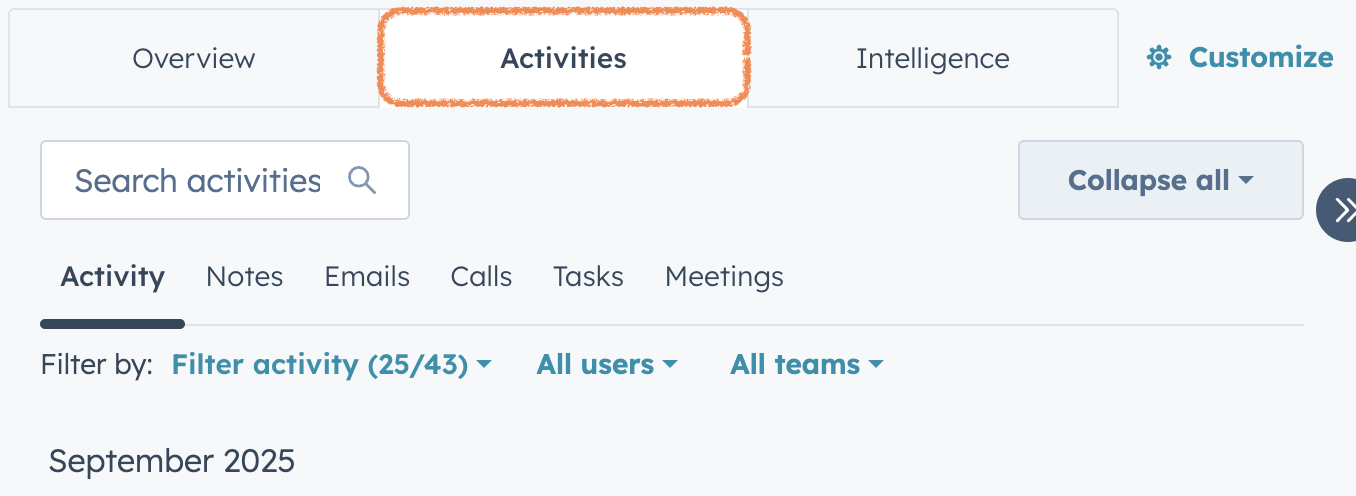
In the activity feed, you’ll see both the details of the activity and the Social Account it was performed from.
Pushing Prospects as Marketing/Non-marketing Contacts
If you want the prospects pushed from the platform marked as "Marketing"/ "Non-Marketing" in HubSpot, you should configure this preference in your HubSpot workspace (search for the LeadUpdates app):
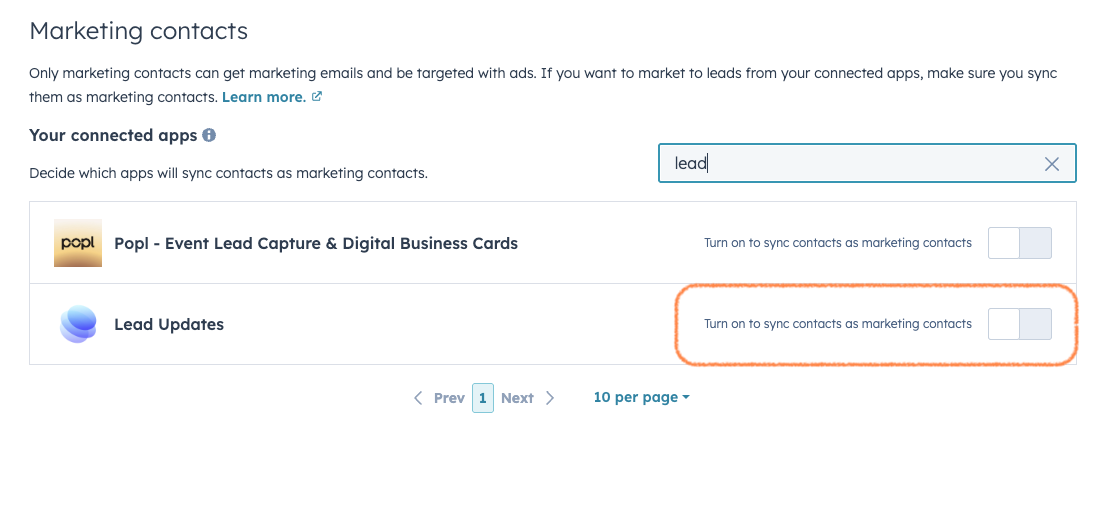
📖 On more information about these settings in HubSpot, visit the articles:
HubSpot Knowledge Base: Set Contacts as Non-Marketing
HubSpot Knowledge Base: Manage Marketing Contacts Settings for Your Integrations