Campaign Settings: Connection Request Limit & Premium Social Accounts Only
Last updated: April 10, 2026
Fine-tuning who receives your outreach and how many connection requests go out each day helps you maintain a balanced, effective campaign. These two settings give you control over your daily limits and let you target only Premium Social users if that's part of your strategy.
Connection Request Limit
This setting enables you to set a maximum number of connection requests sent out daily from a given campaign.
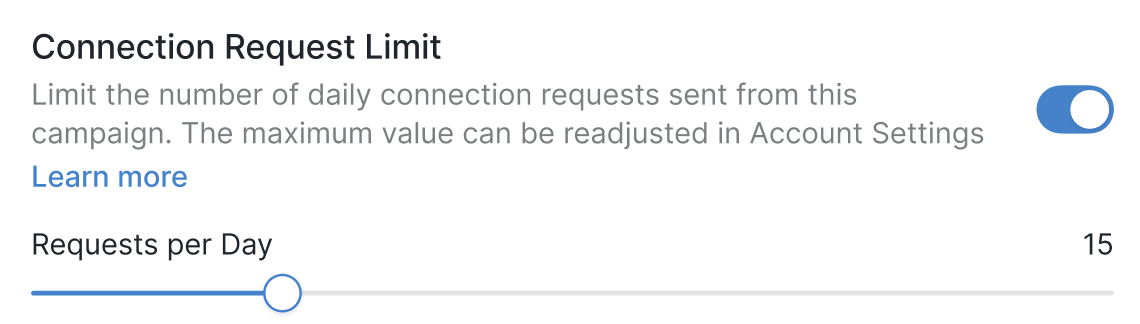
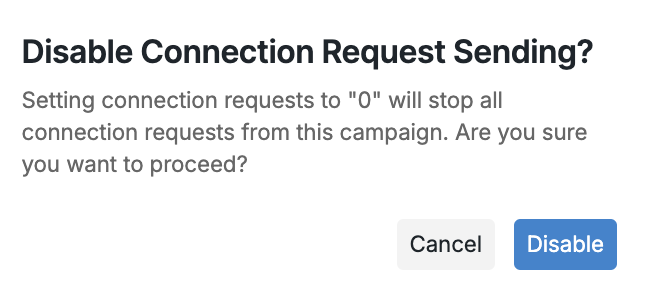
❗ If the setting is toggled on, but the Requests per day value is set to zero, no connections will be sent out from the campaign.
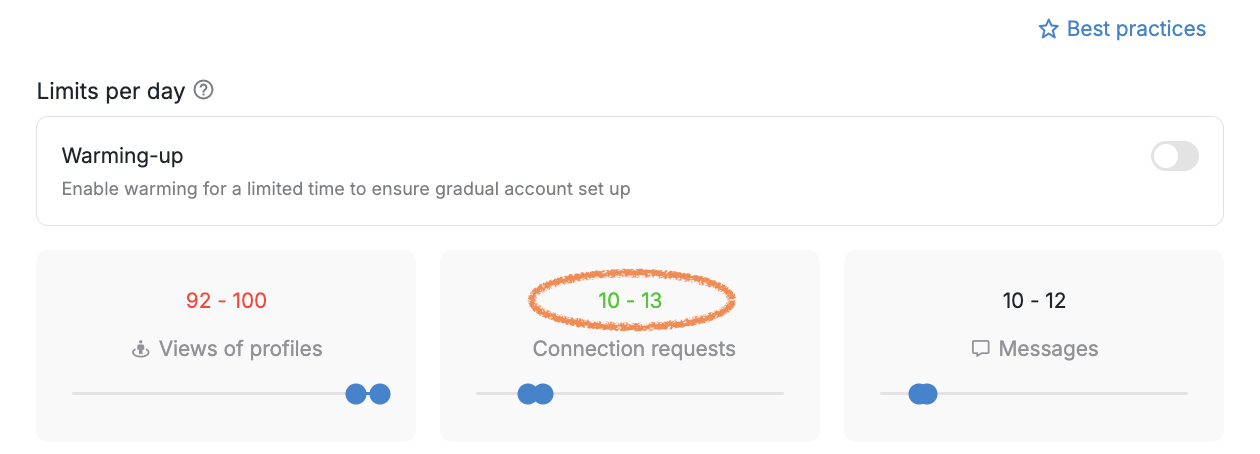
When you first enable the setting, you'll see a set number of connection requests matching the maximum limit you configured in the Account Limits section.
Premium Social Accounts Only
Activating this setting ensures that campaign steps are exclusively executed for Social users with a Premium subscription.
If the search link or the CSV file contains non-Premium profiles, they will be moved to the Pending status with the notification "Profile is not premium."
