My Calendly Integration Is Invalid — What Should I Do?
Last updated: June 12, 2026
If you've noticed that your Calendly integration has become invalid, here's what that means and how to get things back on track quickly.
What happens when your Calendly integration goes invalid
When this occurs, any AI Employee connected to that Calendly account is affected in two ways: it can't be used in new campaigns or for new prospects, and it becomes disabled for any existing campaigns and prospects it was already assigned to.
You won't miss it
The platform will make sure you know about it. Warnings appear in several places across the platform — in the AI Employee list under Workspace Settings, in your Inbox for any affected prospect, in the campaign editor when building a campaign, and in the Campaigns tab next to any campaign impacted by the issue.
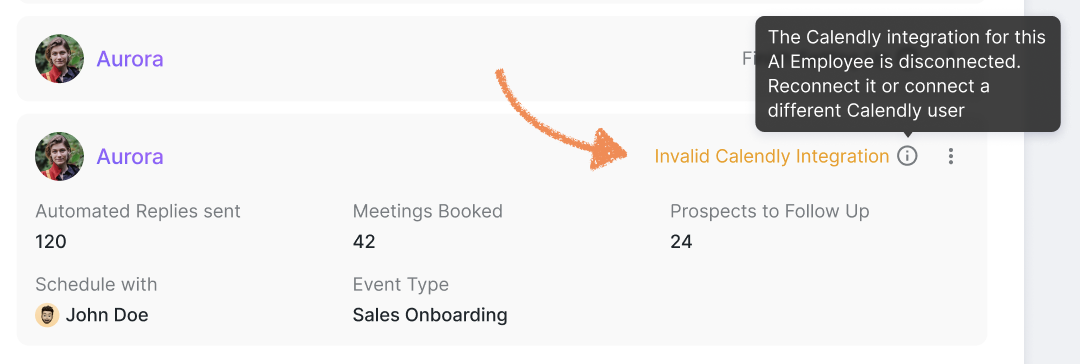
How to fix it
There are a few ways to resolve this, depending on what's causing the problem:
Assign a different AI Employee that has a valid Calendly integration connected.
Go to your Integrations tab on the platform and reconnect your Calendly account if it's been disconnected.
Check the event type linked to your AI Employee — you can select a new event type in the AI Employee settings, or create a new one directly in Calendly and then hit the refresh button in your AI Employee settings. After that, feel free to choose whatever type you need.
Once you've made the fix, your AI Employee will be back in action automatically — no need to manually restart anything. Your existing campaigns/prospects will resume right where they left off.